Accept payments with Stripe
To help you sell tickets and get paid we partenered up with Stripe to offer you a secure checkout experience for your customers.
What is Stripe?
Stripe is a trusted, secure payment platform used by millions of businesses worldwide. We use Stripe Connect to let you receive ticket payments directly to your bank account. It’s fast, reliable, and built to handle everything from payouts to compliance—so you can focus on selling tickets, not managing payments.
Is Stripe secure?
Yes. Stripe is one of the most secure payment platforms in the world. It’s certified to the highest level of payment security (PCI DSS Level 1) and uses advanced encryption to protect every transaction.
We chose Stripe because it keeps your data safe, helps prevent fraud, and ensures your payouts are handled securely—so you can sell with confidence.
Connect your Stripe account via Stripe Connect
In order to help you accept payment we are using a product from Stripe called Stripe Connect.
What is Stripe Connect?
Stripe Connect is Stripe’s secure system that allows platforms like ours to route payments directly to sellers. When you connect your Stripe account, all payments from your ticket sales go straight to your bank account—we never hold or touch your funds.
With Stripe Connect, you get:
- Direct payouts to your bank account
- Full control via your own Stripe dashboard
- Built-in security and compliance (ID verification, tax reporting, etc.)
No need to worry about the term "Stripe Connect" — it’s just the name of the system we use to link your Stripe account with our platform. As a seller, you’ll still interact with Stripe the same way you always have. There’s nothing new to learn and no extra tools to manage. You’ll log in, track payouts, and manage your account just like you normally would on Stripe.
How to connect my Stripe account?
To connect your Stripe account visit the accept payments page at https://attendela.com/dashboard/accept-payments and click on the "Connect Stripe account" button.
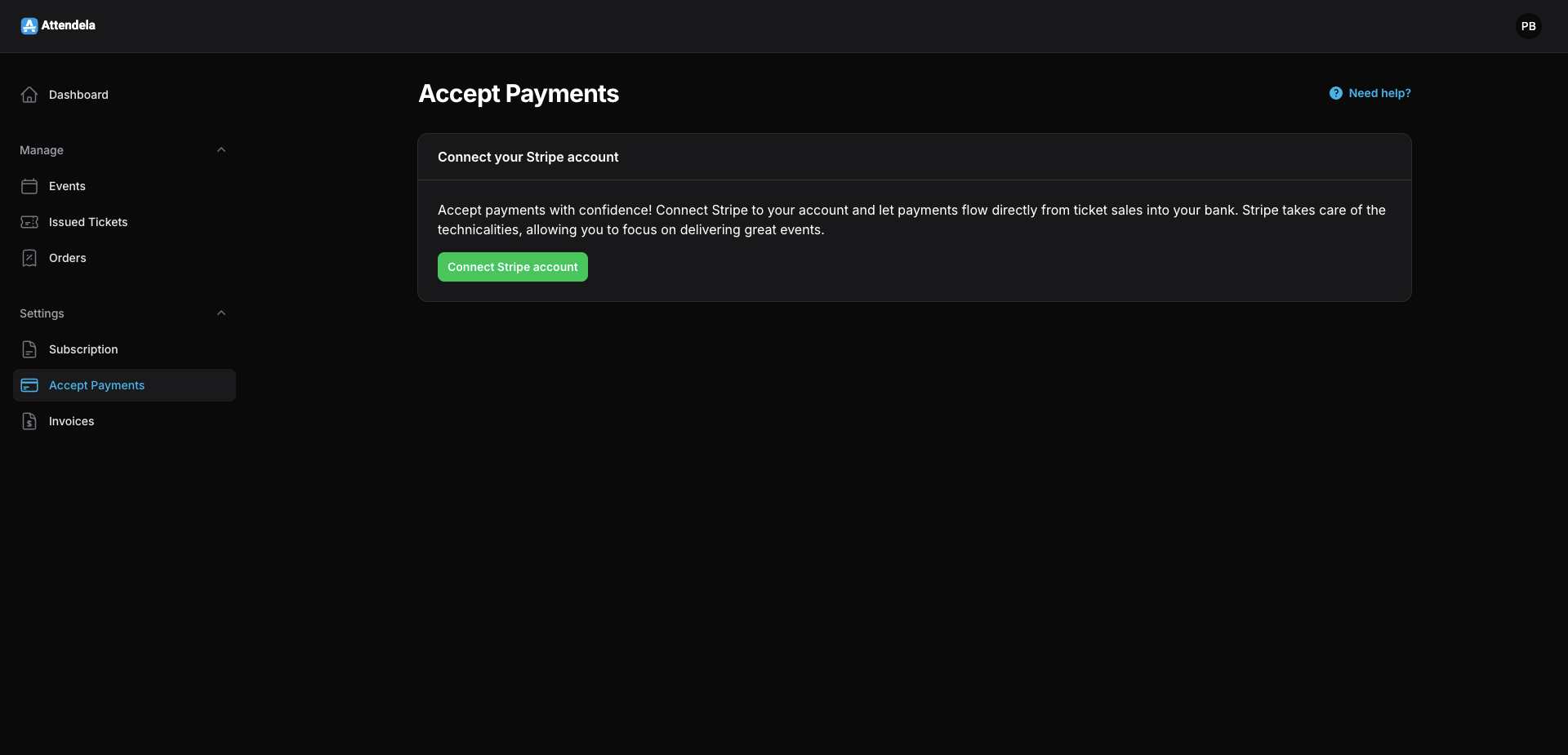
This will redirect you to stripe.com where the whole onboarding process will take place. At this point you will need an existing Stripe account which you will use to login on the page that you were redirected to.
In case you don't yet have a Stripe account please visit https://dashboard.stripe.com/register to register your free account and then come back and login in the page you were previously redirected to.
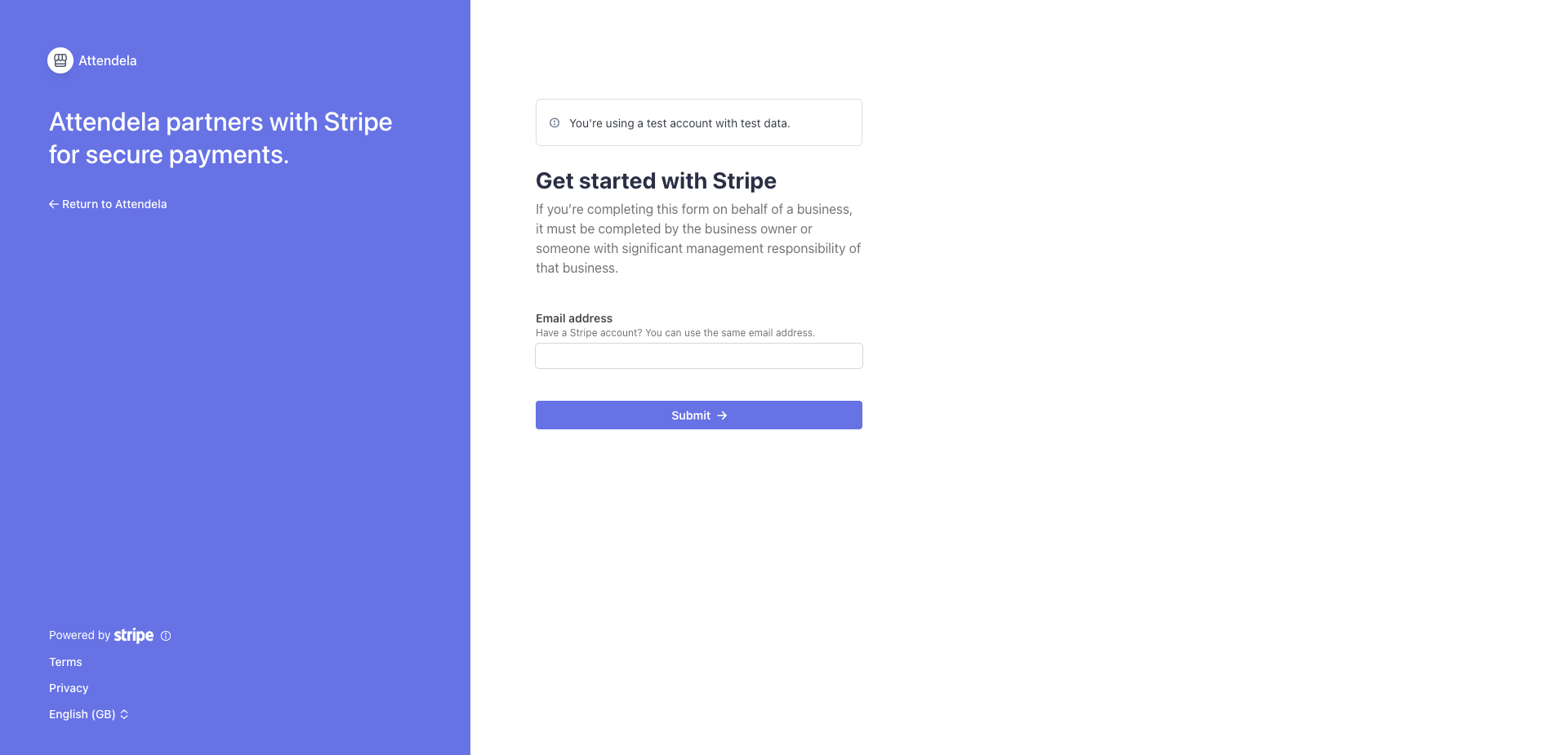
After you successfuly logged in, you will get redirect to a page similar to the one in the image bellow.
Here you will be able to select an already configured business if available or "Create a new business" to setup a new business.
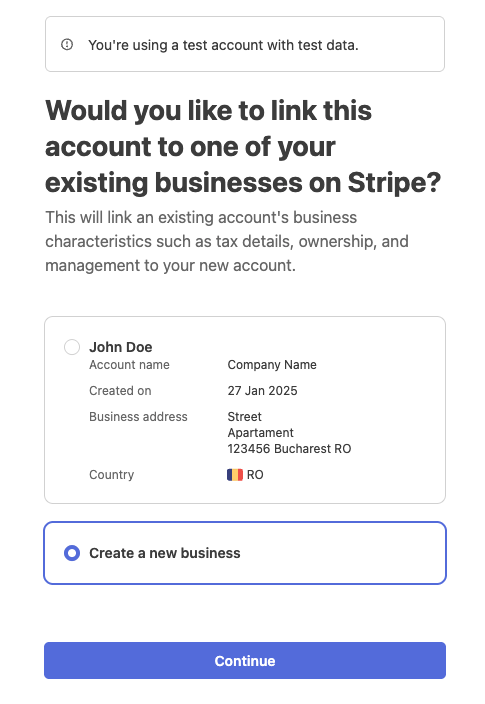
💡 Note: You will only see existing businesses like you see in the image above if you previously created a business with that Stripe account.
From here, simply follow the steps in the form and enter your details. At the end, you’ll have a chance to review everything before clicking “Agree and submit” to complete your onboarding.
If everything went well you should be redirected to the page you started on, and the status should be green, "Operational, up to date".
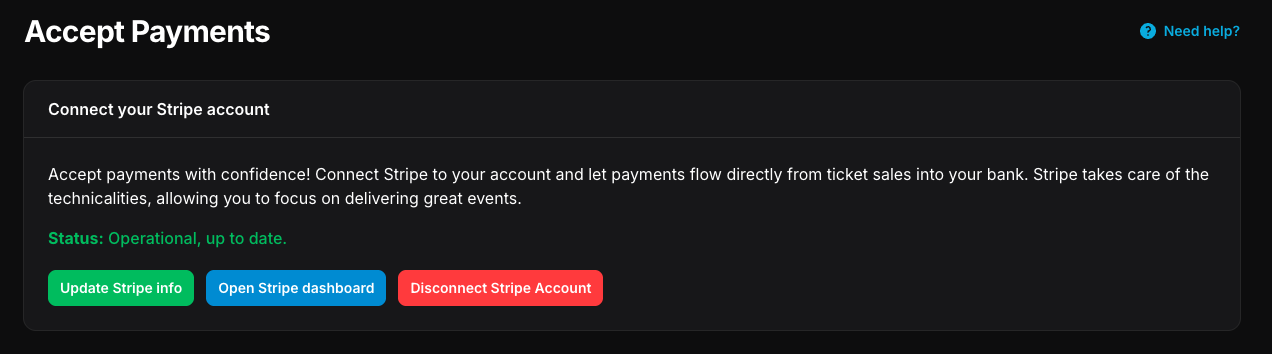
You can use this page later to update various details about your Stripe Connect setup.
From time to time, as legislation and requirements change, you might need to update some details with Stripe. You should be use this page in order to check if there are new requirements, but while we do our best to keep you updated with Stripe requirements we higly recommand to frequently check your Stripe Dashboard to spot any future requirements.
If Stripe requires extra details and you fail to provide them you can even get your payments disabled until you resolve the issue, so it's higly important to keep all the details updated.
Common issue: Individual verification document warning (individual.verification.document)
If it's the first time using Stripe you will likely run into this warning (note that it can take a couple of minutes after the onboarding is finished to see this warning).
This warning comes from Stripe and indicates that you need to submit a valid photo ID. Stripe uses this information to verify your identity, as they're required to comply with financial regulations and anti-fraud laws as a payment processor. You are sharing your ID directly with Stripe, not us.
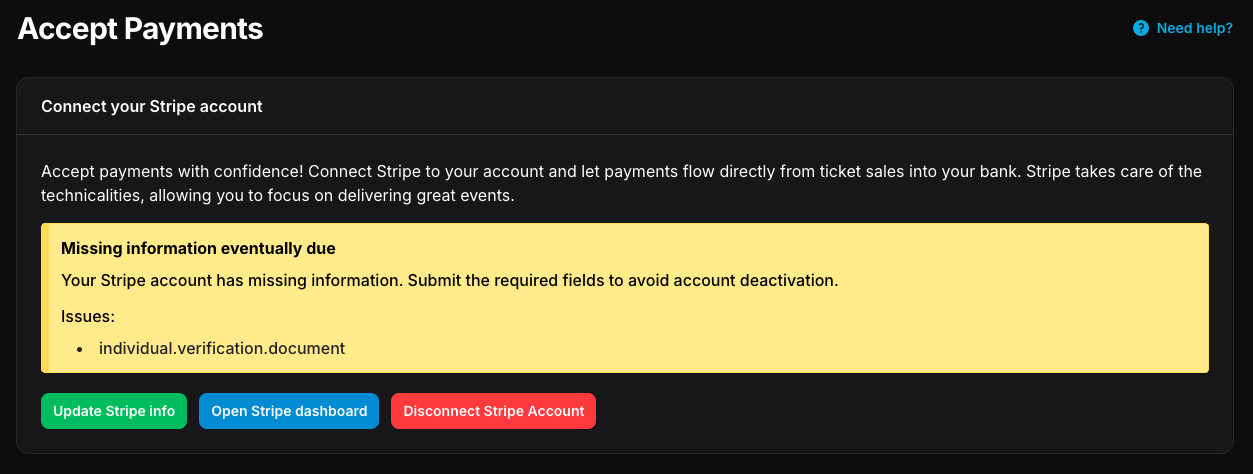
To solve this issue click on "Update Stripe info" and scroll down to "Personal details" section and click on Edit.
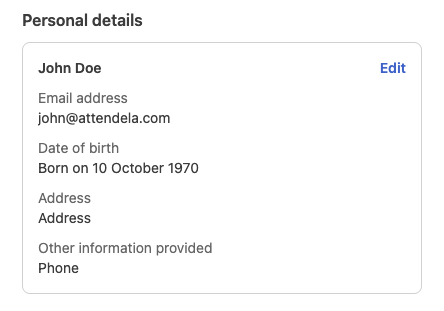
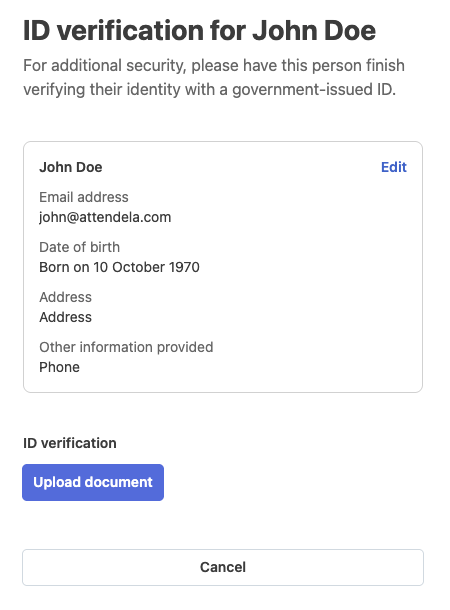
From here you can click on "Upload document" and follow the instruction on the screen.
How to disconect my Stripe account?
To disconnect your Stripe account visit the accept payments page at https://attendela.com/dashboard/accept-payments and click on the "Disconnect Stripe Account" button.
💡 Note: If you do so, payments will no longer work so you won't be able to sell tickets anymore.
When will I get paid for my tickets?
Once your Stripe account is connected and you've started selling tickets, payments are directly deposited in your Stripe account. We only provide you the infrastracture to sell, the money goes directly to you.
From there you can transfer the money from your Stripe account to your bank account. This process might differ from situation to situation and it's up to Stripe to decide this.
I have problems with Stripe...
If you face any issues with Stripe please visit https://support.stripe.com/.
While we are more than happy to assist you in any issue you might encounter and as such you can contact us at contact@attendela.com, there is a high change we will not be able to do much since all the transaction related issues are strictly managed by Stripe itself.