Publishing your first event
Every event you create is private by default, which means you can set everything up, explore the platform, and fully configure your event without any pressure.
Once you're ready to go live and make your event public, you’ll need an active subscription. This way, you only pay when you're confident and ready to launch. No surprises, no commitments until you’re good to go!
What is the event visibility?
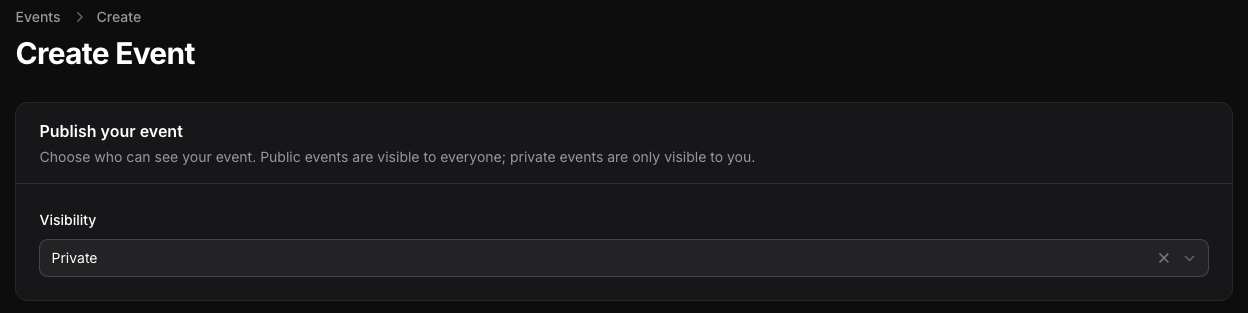
The visibility field defines if an event is public or private. A public event can be accessed by anyone that has access to the event page link (the link that you will use to promote your event). Your event should be public only when you are ready to start selling tickets.
In case you are still working on it or maybe you want to hide it for some reason so nobody other than you has access to it the you must set the event visibility to private.
A private event can only be viewed by you (and you must be logged in into your account, unlike a public event which everyone can access regardless if it's logged in or not).
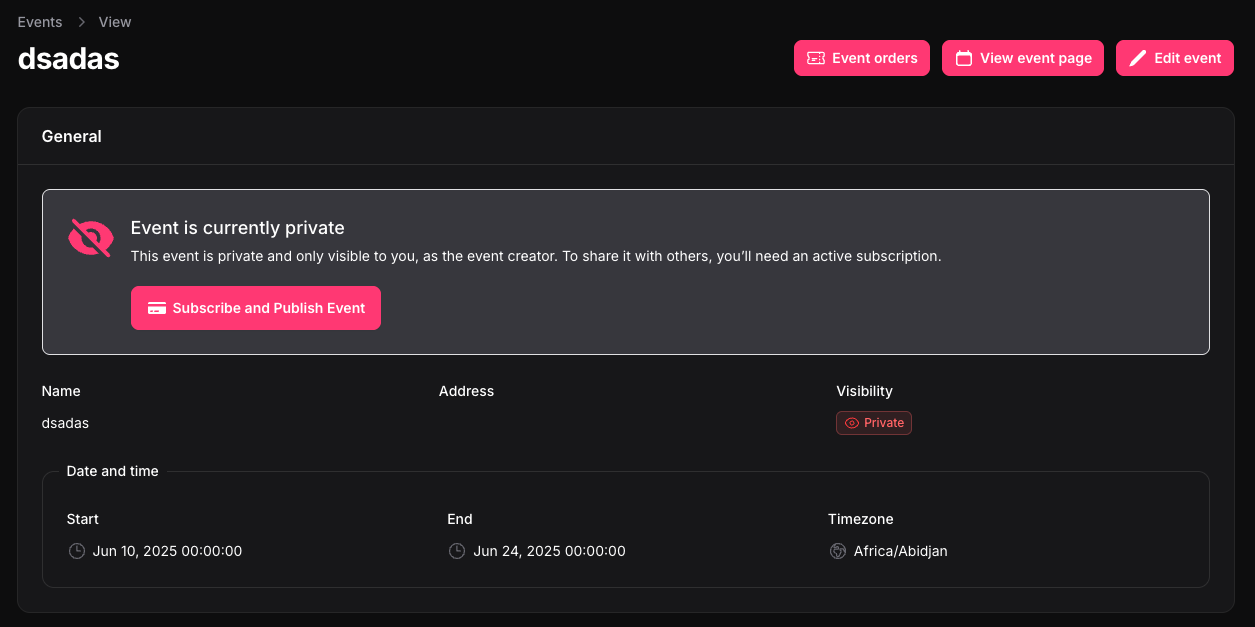
To help you quickly understand if an event is private or not, except for all the places in the dashboard where you can check it's visibility status, a notification will pop up at the top of the view event page like the one showed in the image bellow.

How to make my event public?
First of all, if you don't have any active subscriptions on Attendela then every event will be "Private" by default and this status can't be updated unless you purchase a subscription.
This is how your create/edit event page will look like if you don't have a active subscription.
This is done by design, so you can test the platform without a time limit like a trial and experience the full platform unlike a demo which has a limited set of features.
With that in mind, once you're ready to publish your event, you can explore all available subscription options at https://attendela.com/dashboard/subscription. While there may be multiple subscription tiers to choose from, every subscription includes the ability to publish events — so you can pick the one that best fits your needs with confidence.
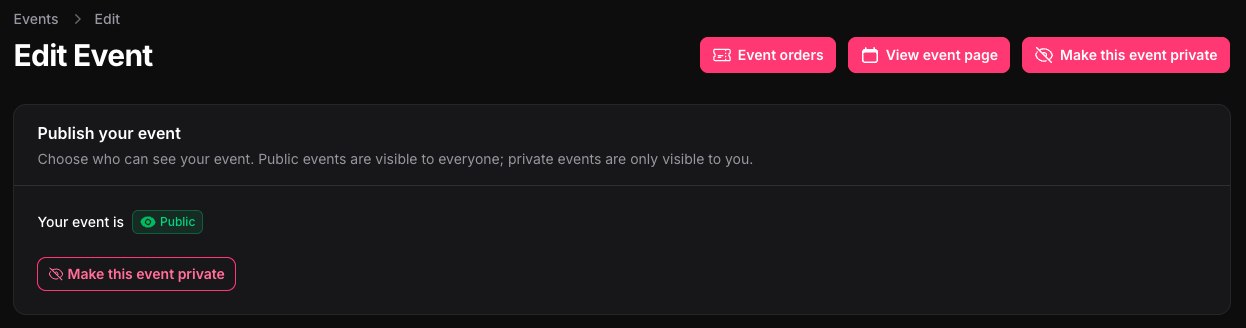
Once you subscribe this is how the create and edit event page will look like.